The EU General Data Protection Regulation gives customers the right to get their data and to ask for it to be deleted. Even in a small store the data is scattered: the web store, email, the newsletter service and invoicing. Collecting it by hand takes hours, and something is easily missed.
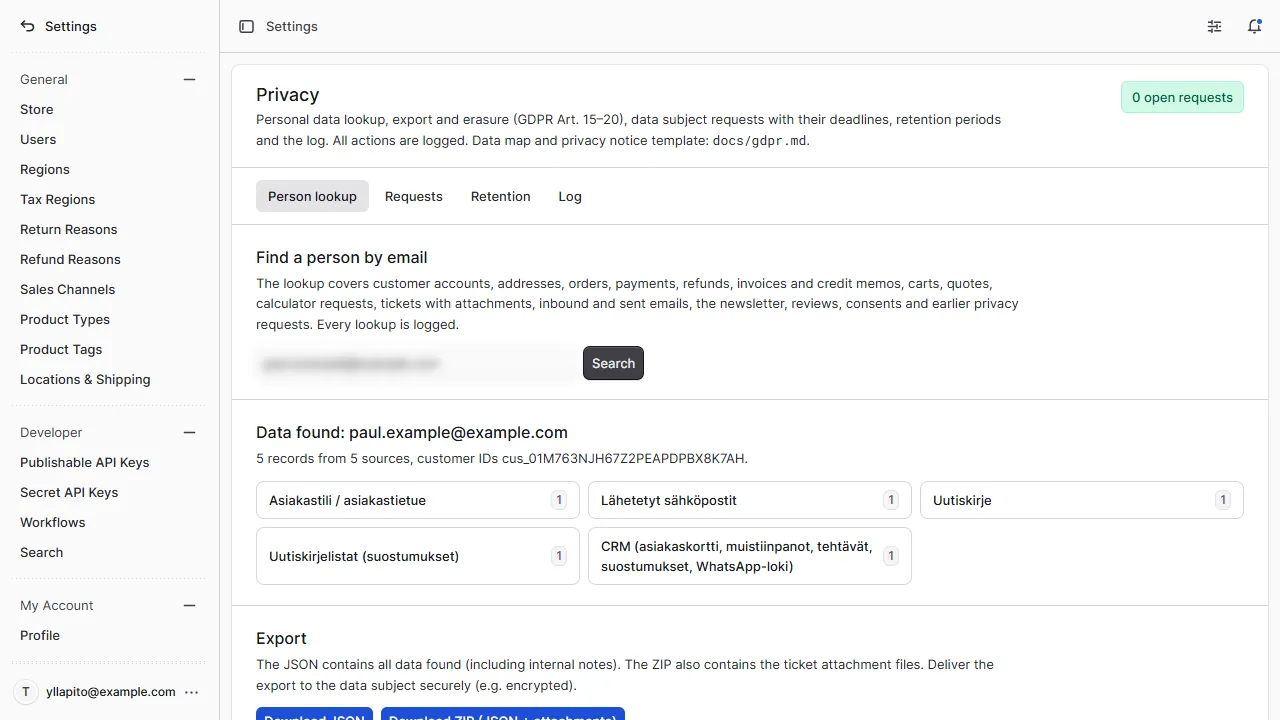
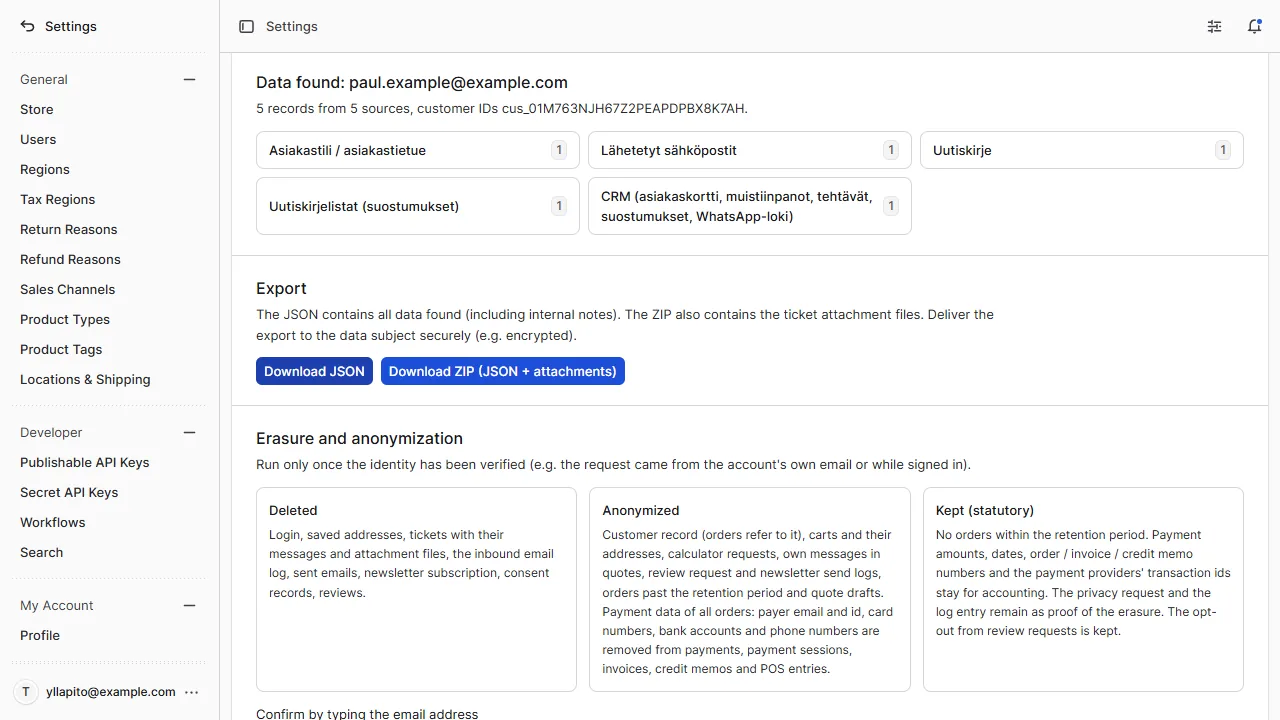
On KIDE's Privacy page you look a person up by email. The lookup covers customer accounts, addresses, orders, payments, refunds, invoices, carts, quotes, calculator requests, tickets with attachments, inbound and sent emails, the newsletter, reviews, consents and earlier privacy requests.
Watch the video: Person lookup, export and erasure
Video captions
- Privacy: lookup, export and erasure in one place
- A customer asks for their data – look them up by email
- The lookup covers accounts, orders, quotes, messages, newsletter and consents
- Export: all the data found as a JSON or ZIP file
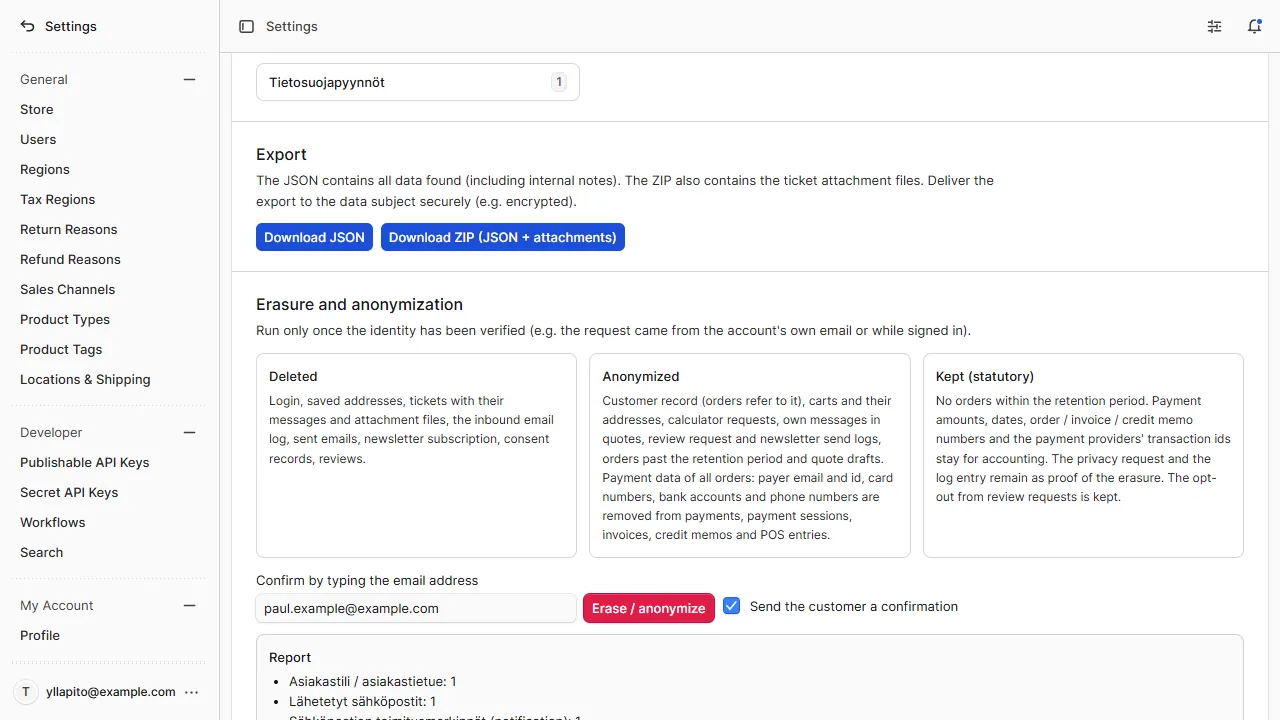
- Erasure: what is deleted, what is anonymized and what the law requires to keep
- Confirm by typing the address – erase with one click
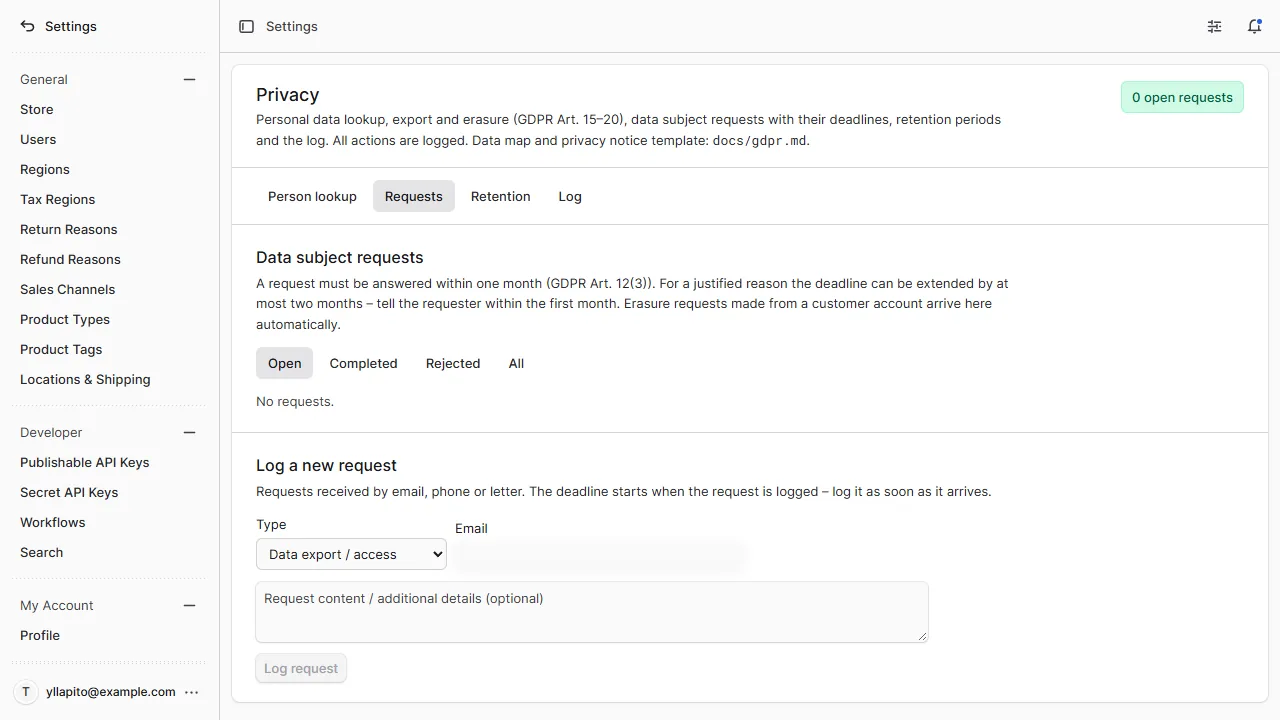
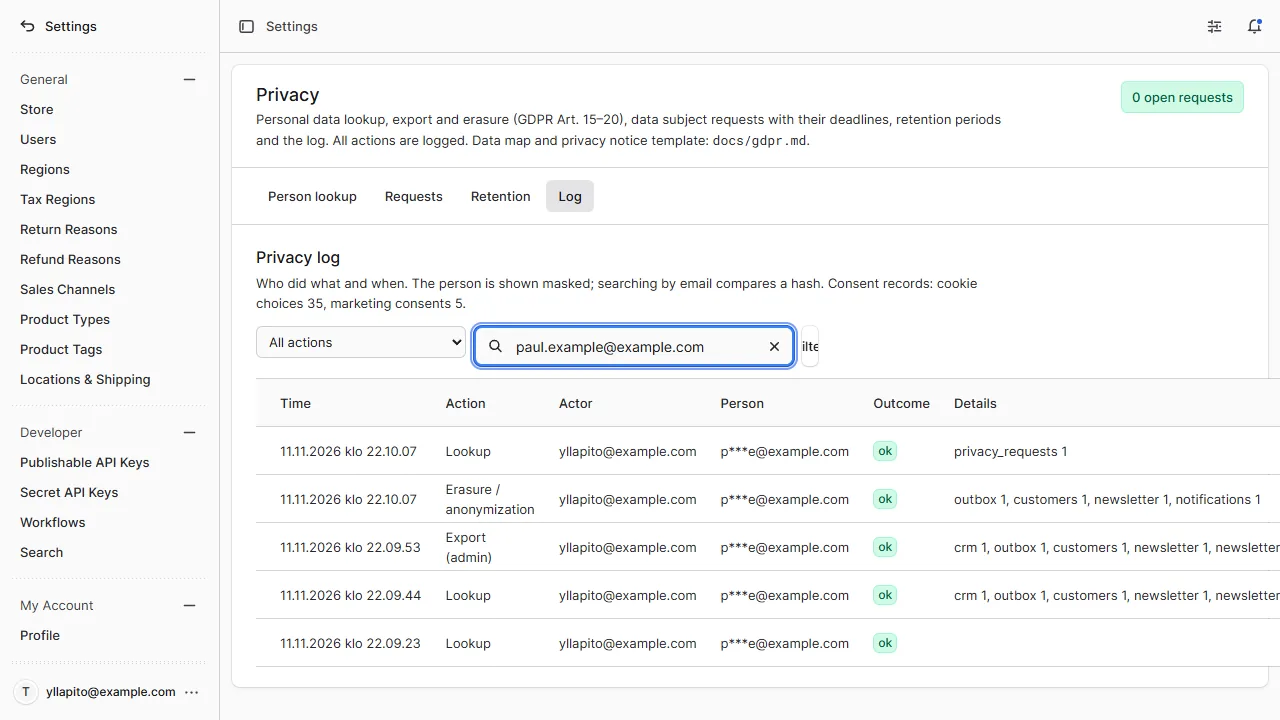
- Requests with their deadlines, and a log of every action
- A data request is handled in minutes
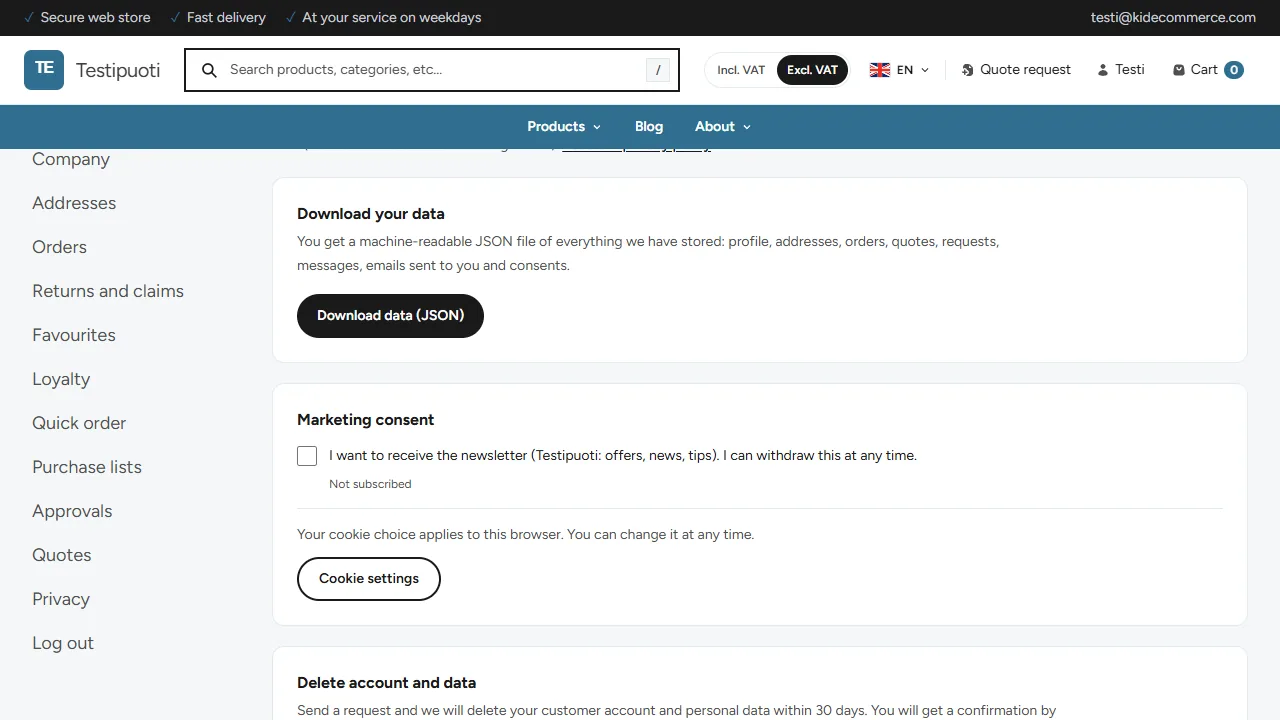
- On the customer's side: My account → Privacy
- The customer downloads their own data without contacting you
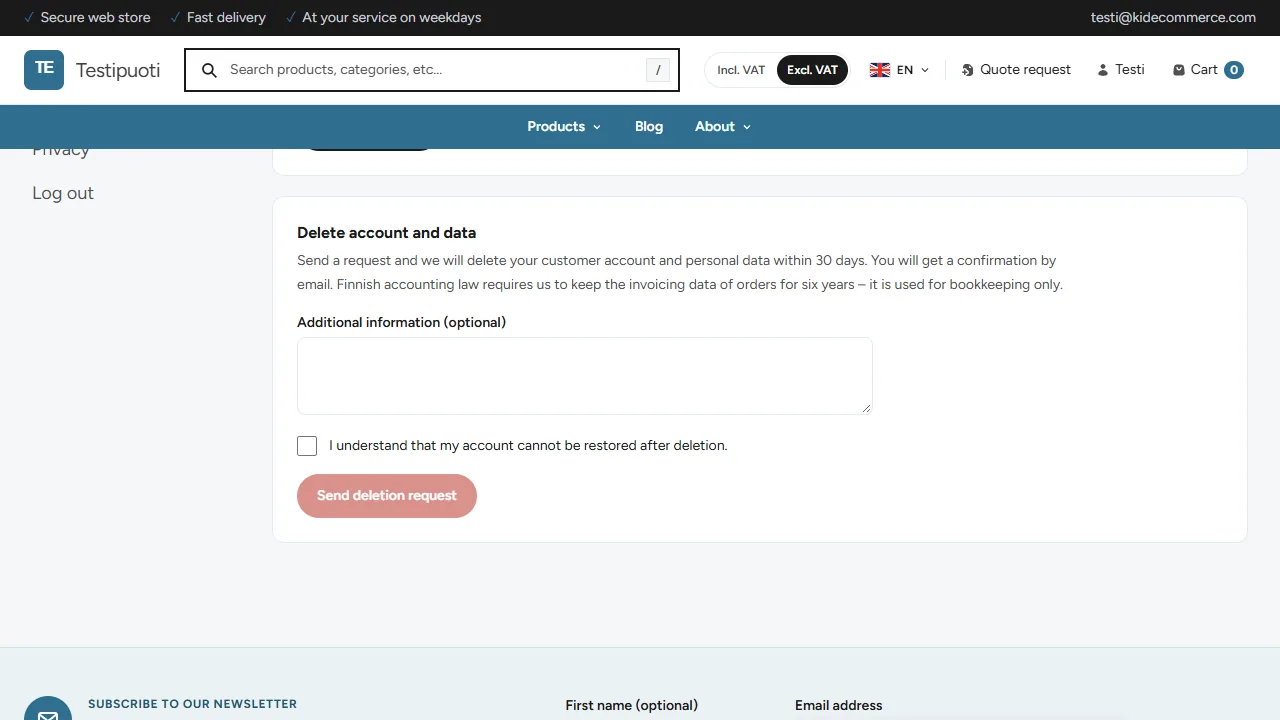
- Marketing consents and the account deletion request on the same page
Export as a file
All the data found is downloaded as a JSON file or as a ZIP with the ticket attachments. You deliver the file to the customer securely, for example encrypted.
Erasure and anonymization in one go
The erasure view says beforehand what is deleted, what is anonymized and what is kept. Data that accounting law requires to keep, such as billing details, amounts and document numbers, stays. Everything else is deleted or anonymized in one database transaction. You confirm by typing the email address, and the customer can get a confirmation.
Deadlines and the log
Requests are logged with a 30-day deadline and a warning before it is missed. The log records every lookup, export, erasure and settings change. Customers can also download their data, manage their marketing consent and request account deletion themselves in My account.
What the customer sees: My account → Privacy
Customers can also handle the request themselves: download their data as a JSON file, change their marketing consents and request account deletion in My account.
How to do it
- Open Settings → Privacy and type the customer's email address into the person lookup.
- Check the data found. Verify the customer's identity before an export or erasure.
- Download the data with Download JSON or ZIP and deliver it to the customer securely.
- If the customer asks for erasure, type the email address to confirm and press Erase / anonymize.
- The request and the actions show on the Requests and Log tabs.
Images: the KIDE Mini test shop, demo content.