SEO built from plugins works until an update breaks it. Plugins can produce overlapping structured data, a sitemap can forget the language versions and old addresses end on an error page. Search engines notice before the merchant does.
In KIDE technical SEO is built into the platform. Pages are rendered on the server, so search engines and AI search get finished HTML, and every page type has its own structured data.
Watch the video: Technical SEO from the product page to the admin
Video captions
- Technical SEO is built into every page
- Structured data tells Google the price, stock and reviews
- Sitemaps update themselves when a product or article changes
- robots.txt: cart, checkout and filter combinations kept out of search
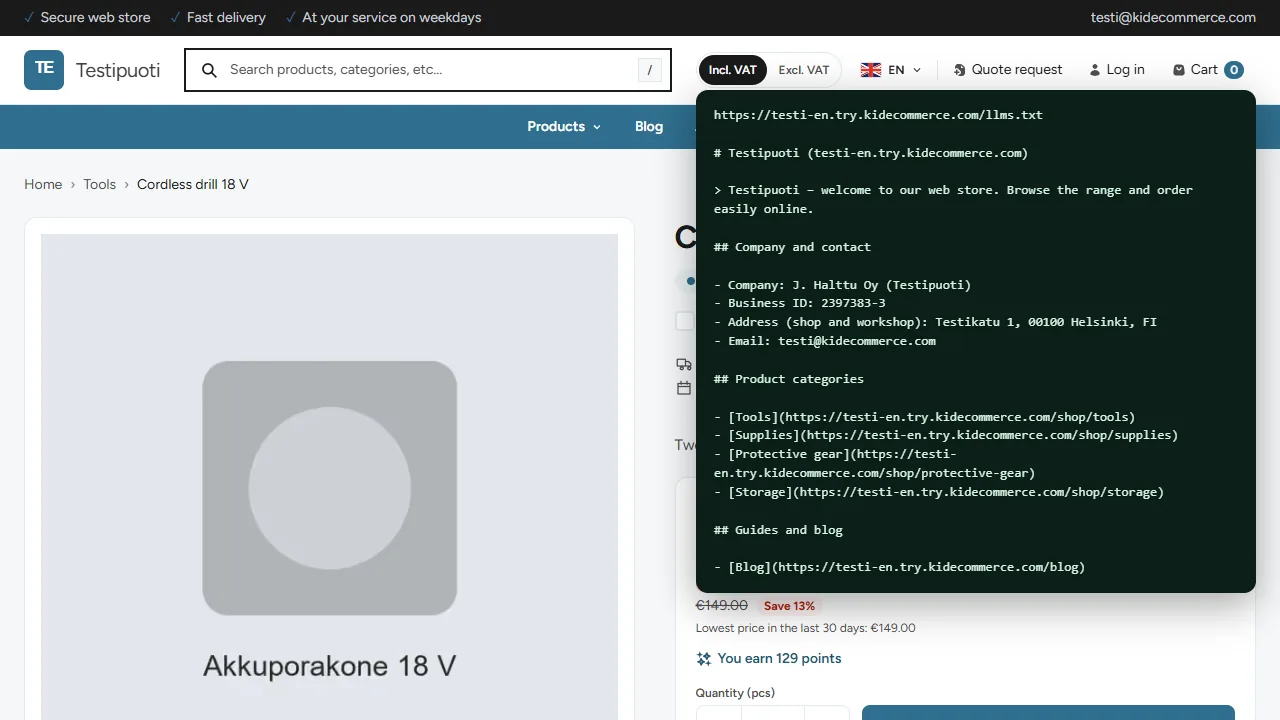
- llms.txt tells AI assistants what the store sells
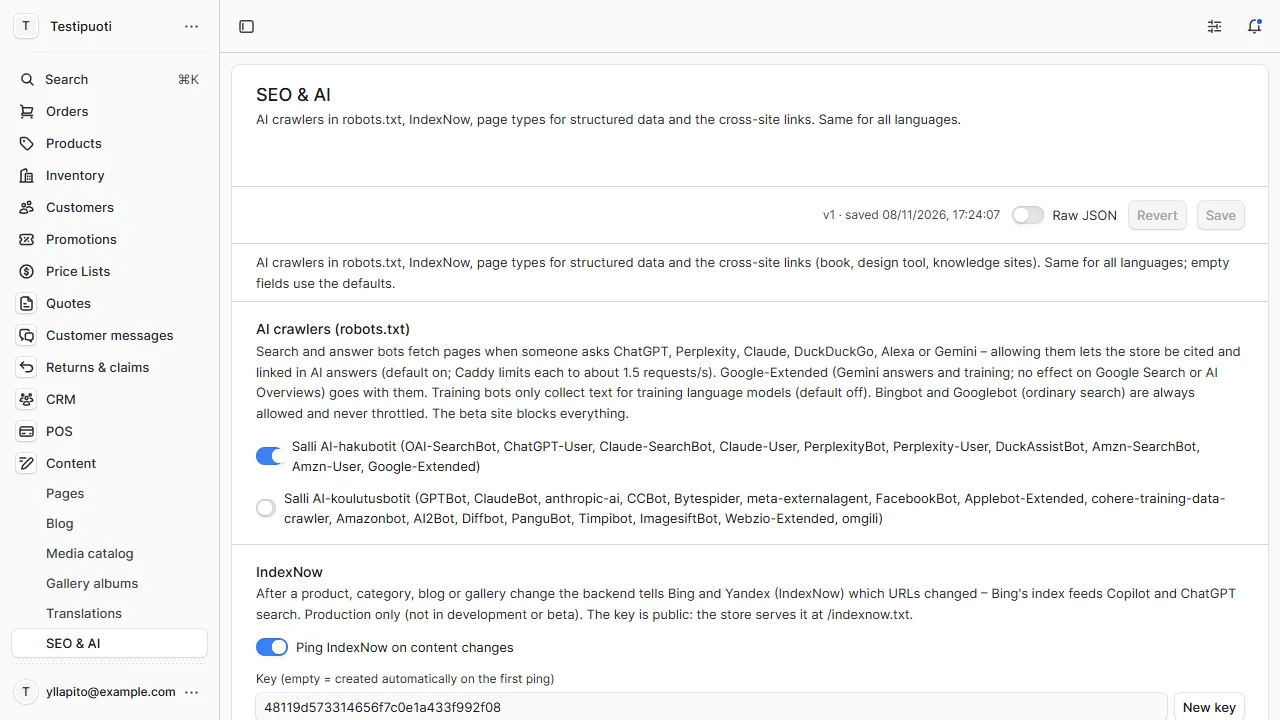
- In the admin: AI bots, IndexNow and structured data page types
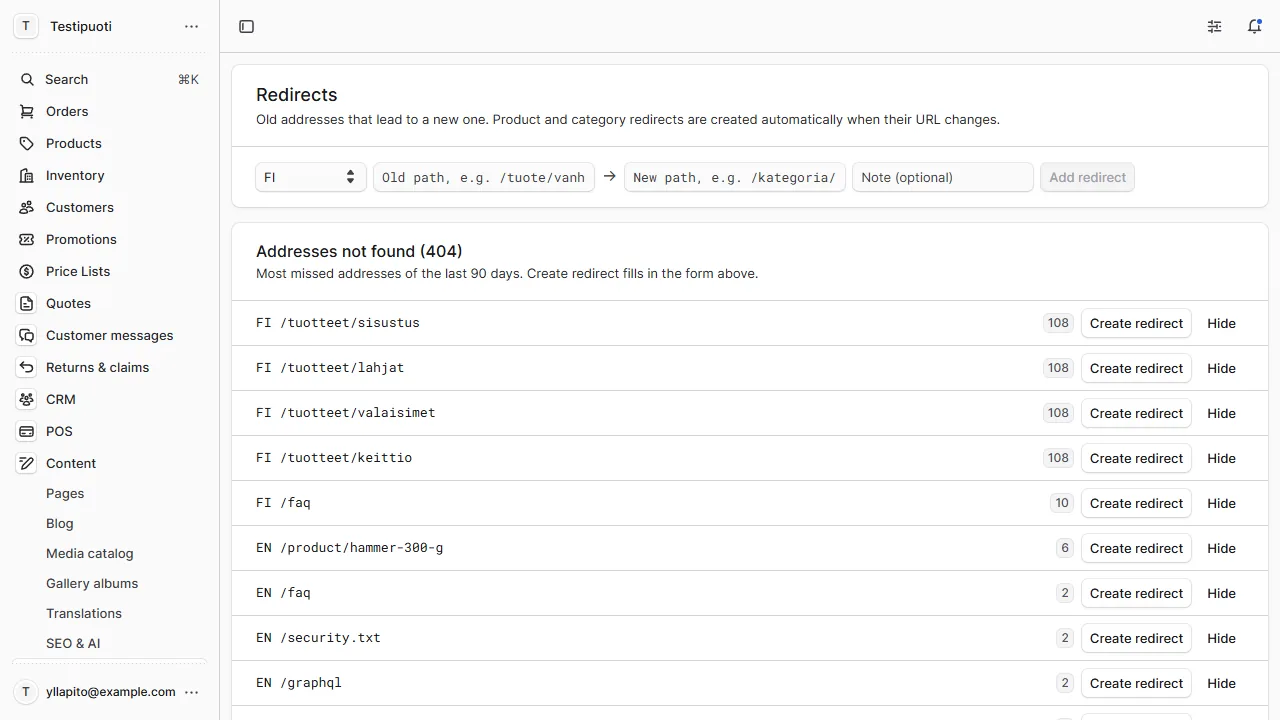
- Redirects and the 404 list: old addresses don't get lost
- No plugins – it is all part of the platform
What KIDE does automatically
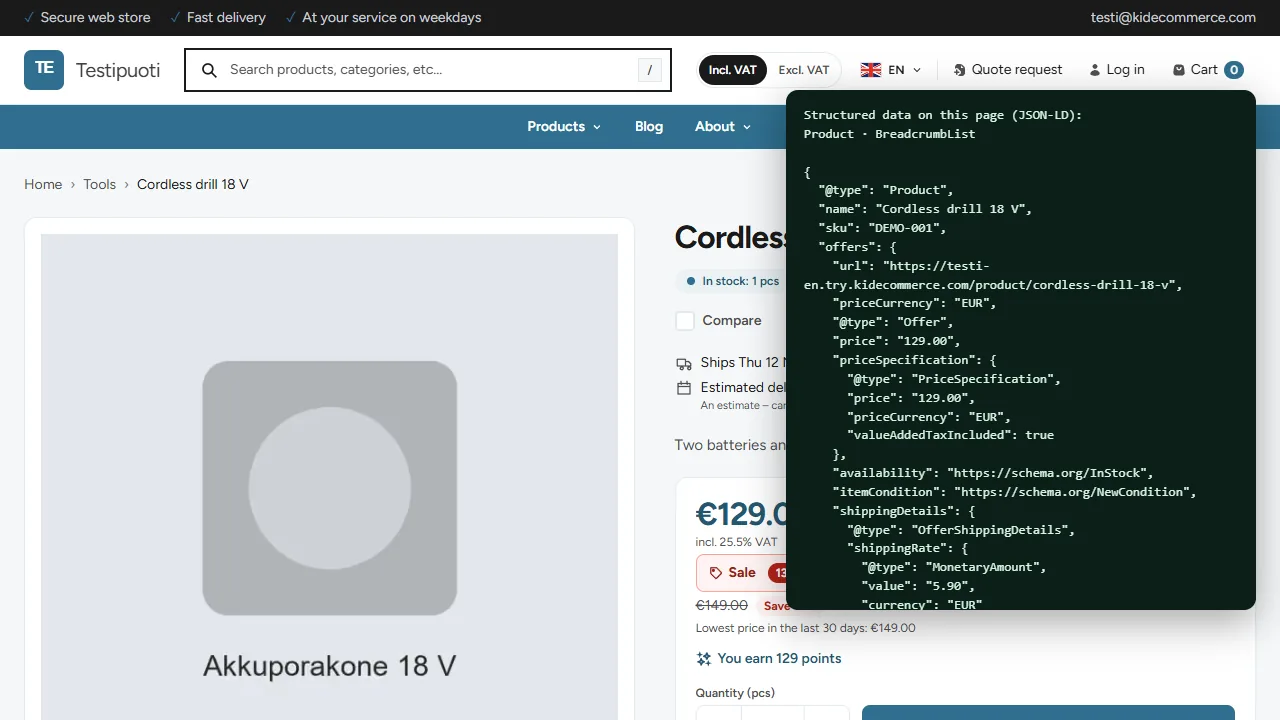
- Structured data for every page type: Product and Offer with price, availability and shipping details, BlogPosting, FAQPage, BreadcrumbList and Organization.
- Canonical on every page. Filtered views are noindex and the canonical points to the clean category.
- hreflang to every language version on the right country domains when the store is multilingual.
- Sitemaps: a sitemap index with separate sitemaps for the store, the blog and images.
- robots.txt: cart, checkout, account, search and filter combinations are kept out of search engines.
- Redirects: when a product or category address changes, the old address is redirected to the new one (301).
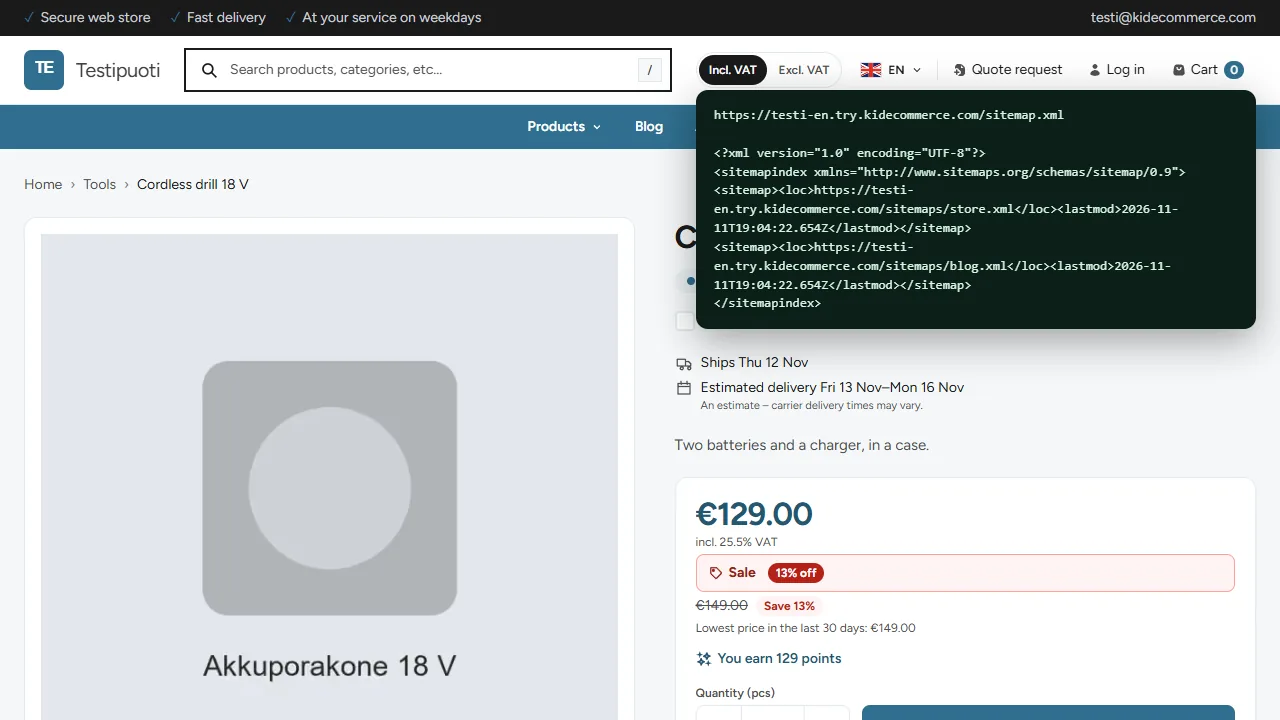
Ready for AI search (GEO)
AI assistants such as ChatGPT, Claude and Perplexity fetch information from websites for their answers. KIDE creates an llms.txt file for every domain with the store's facts, categories and guides. In the admin you decide which AI bots may fetch pages: search bots can be allowed and training bots blocked. IndexNow tells Bing and other search engines about changed pages at once.
Old addresses don't get lost
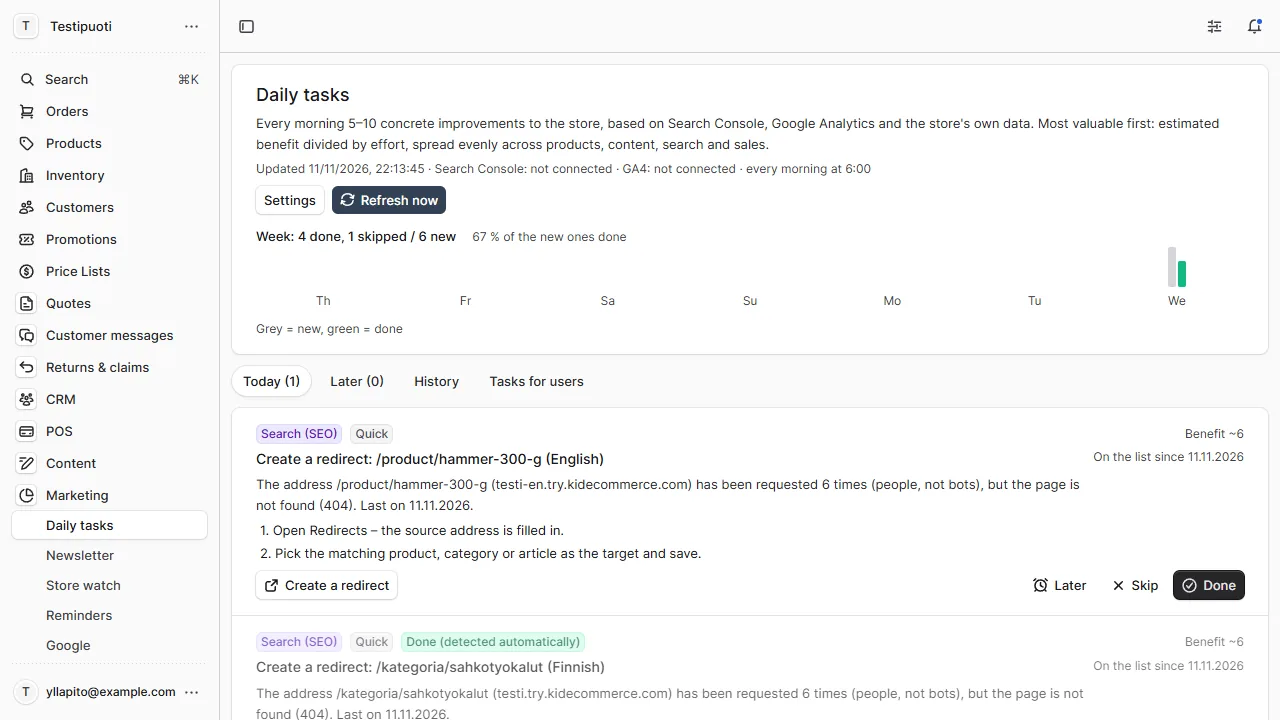
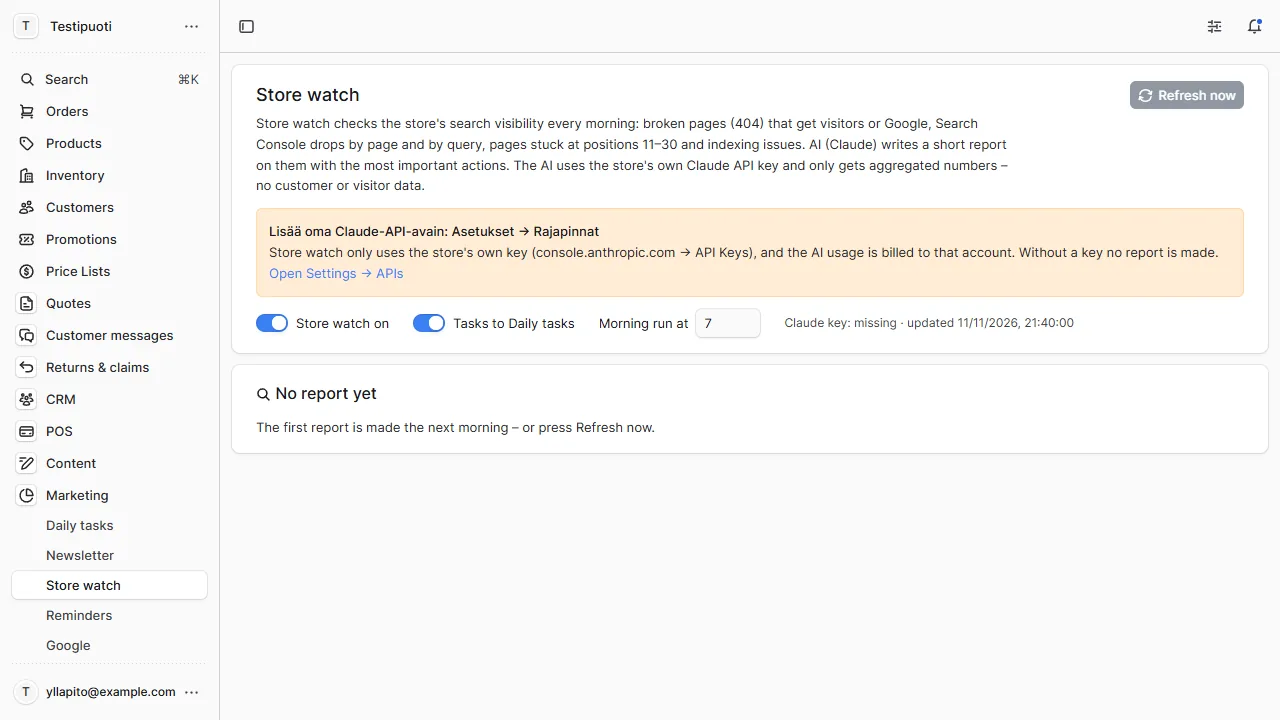
Redirects are managed per language, also with Excel. The error log lists addresses that still get visitors, and a redirect takes two clicks. Store Watch brings the most important ones up every morning.
How to do it
- Check a product page with Google's Rich Results Test: Product and Offer are there without plugins.
- Submit the store's sitemap.xml to Search Console (Marketing → Google).
- Under Content → SEO & AI, choose which AI bots may fetch pages, and keep IndexNow on.
- Fill in the SEO titles and descriptions of products and articles. Missing ones show in the product search.
- Redirect old addresses under Content → Redirects using the 404 list.
Images: the KIDE Mini test shop, demo content.