Many stores handle business customers by email: a price list as a PDF, the order as a message and manual entry. That works until there are dozens of customers, each with their own prices. Then mistakes creep in and the sales team spends its time typing orders.
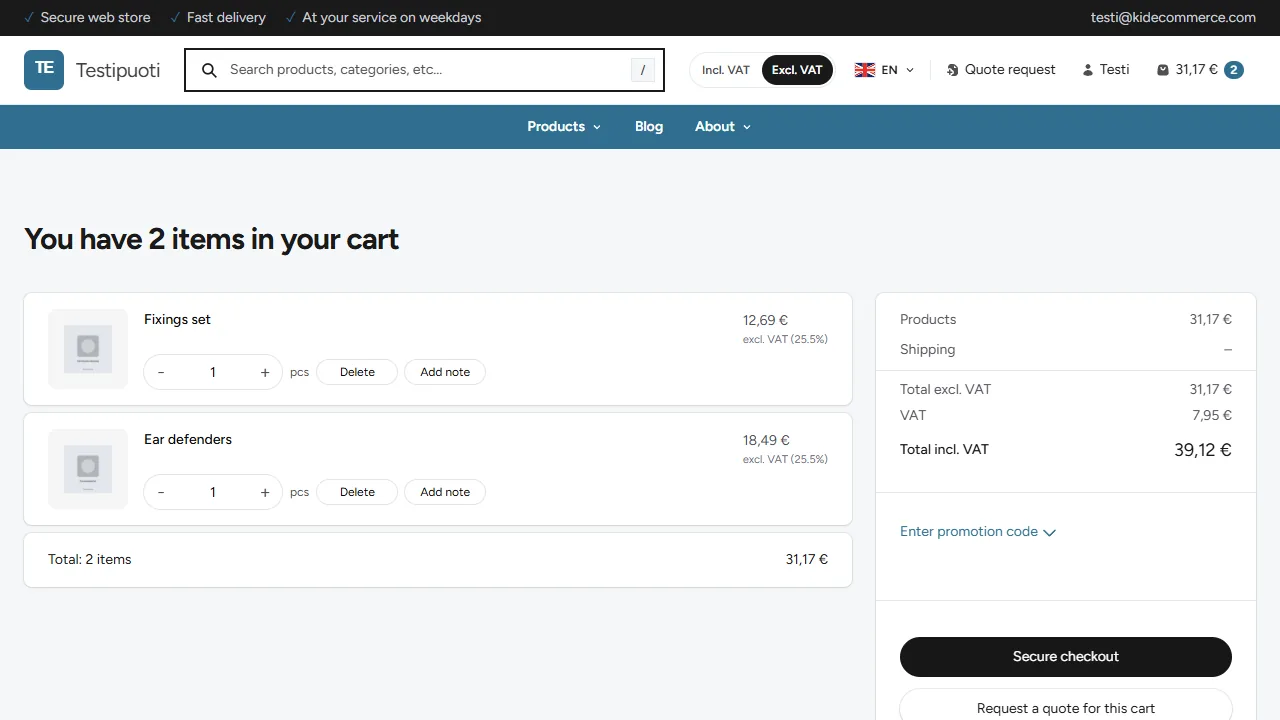
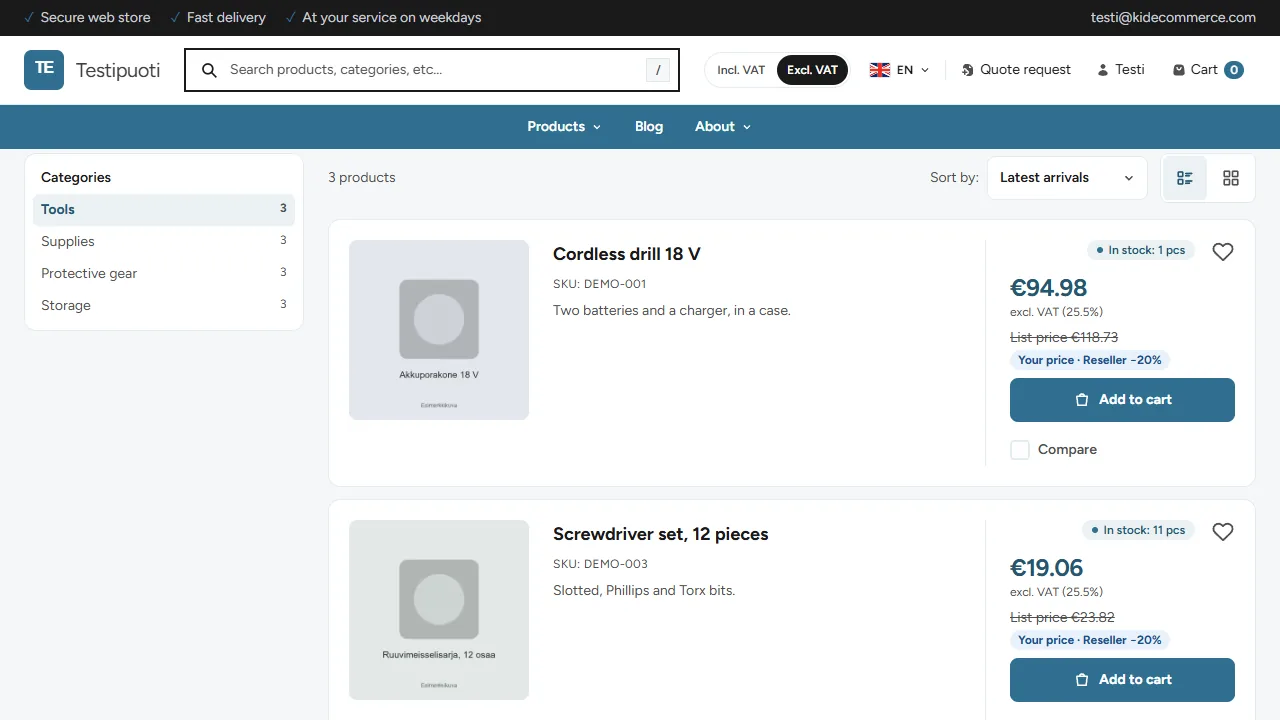
In KIDE a business customer signs in to the same web store and sees their own prices everywhere: product lists, product page, search, cart and checkout. The same price flows into the quote, the order confirmation, the invoice and the accounting.
Watch the video: Business customer prices, quick order and company account
Video captions
- A signed-in business customer sees their own prices across the store
- Reseller price −20 %, with the list price for comparison
- Prices with or without VAT at one click
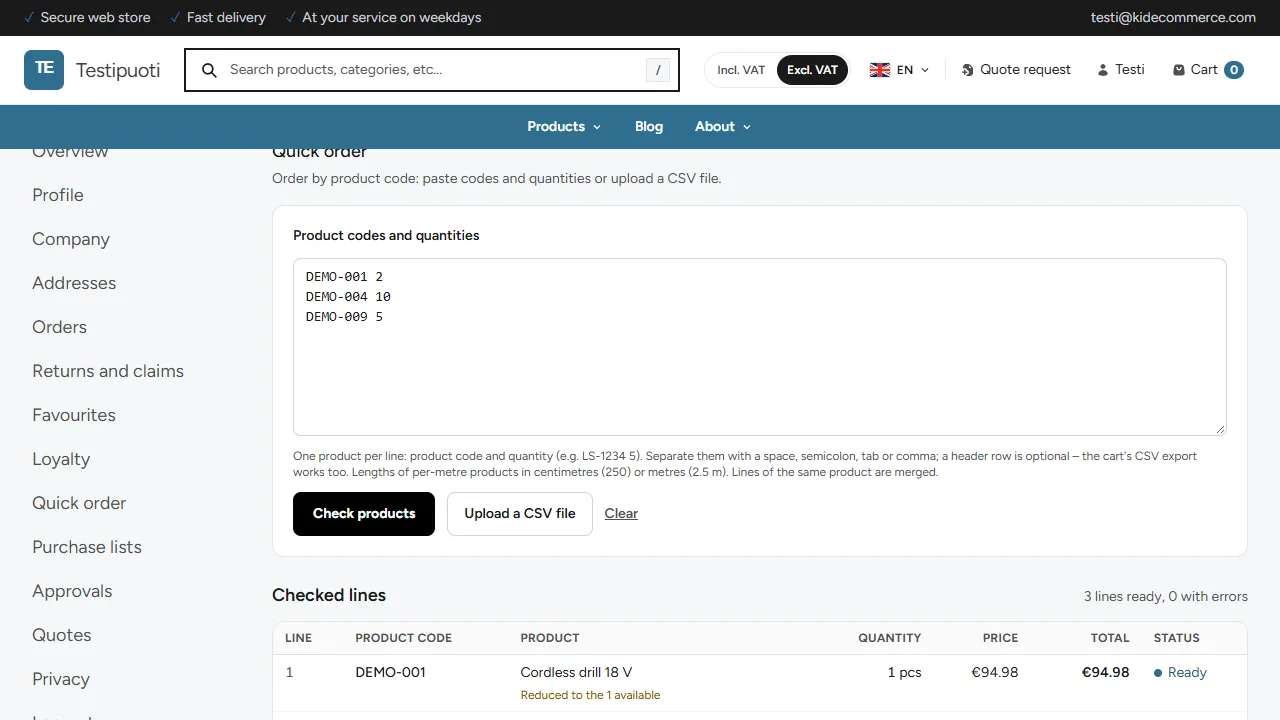
- Quick order: paste product codes and quantities, or upload a CSV
- The preview shows customer prices and stock before the cart
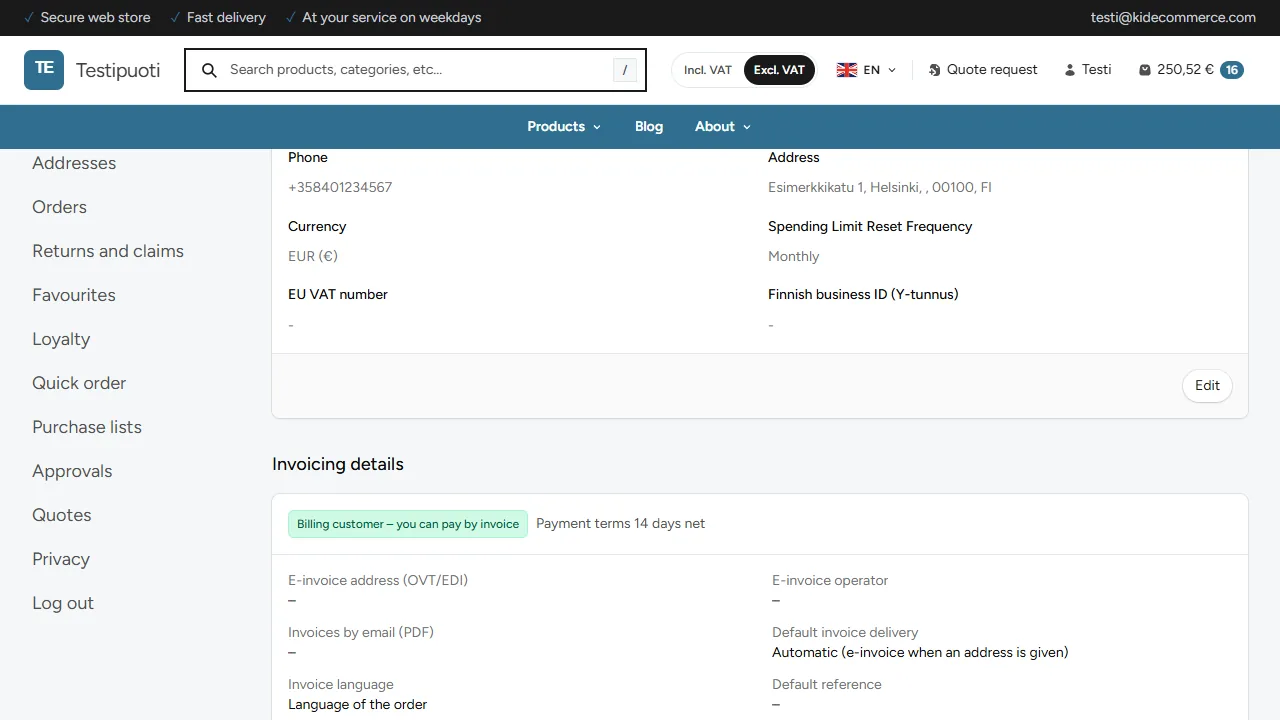
- Company account: company details, spending limit and employees
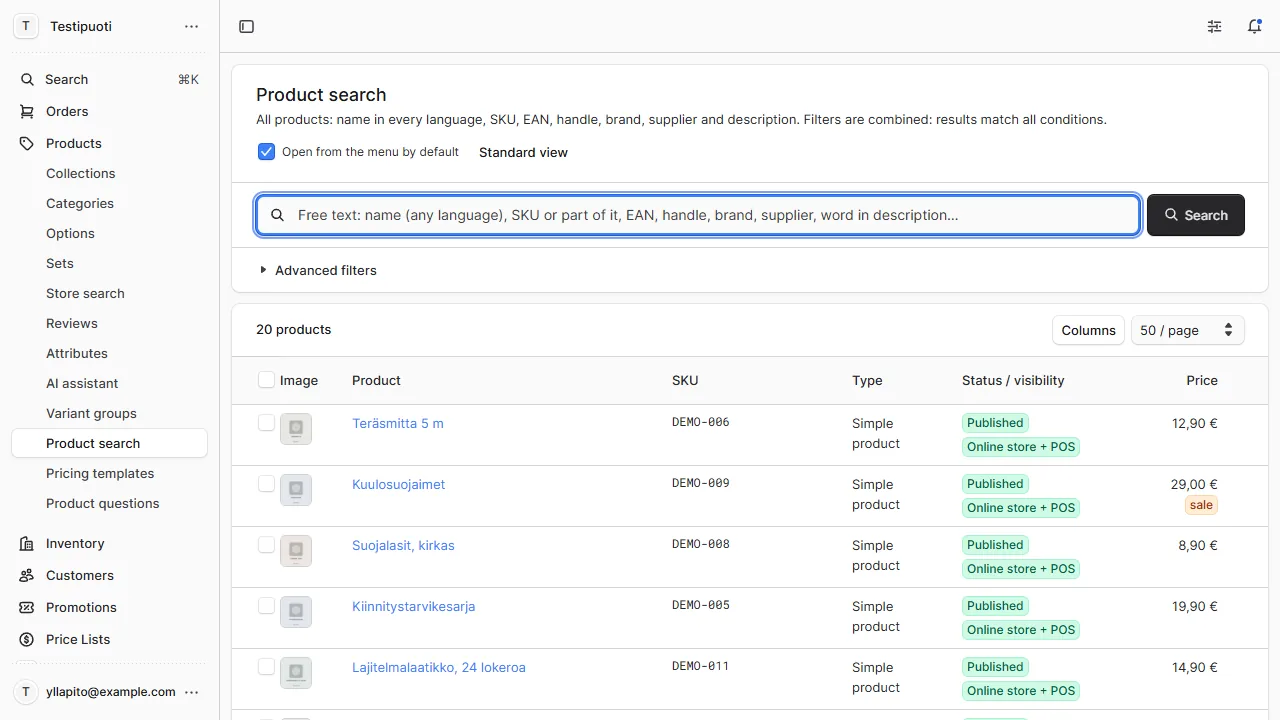
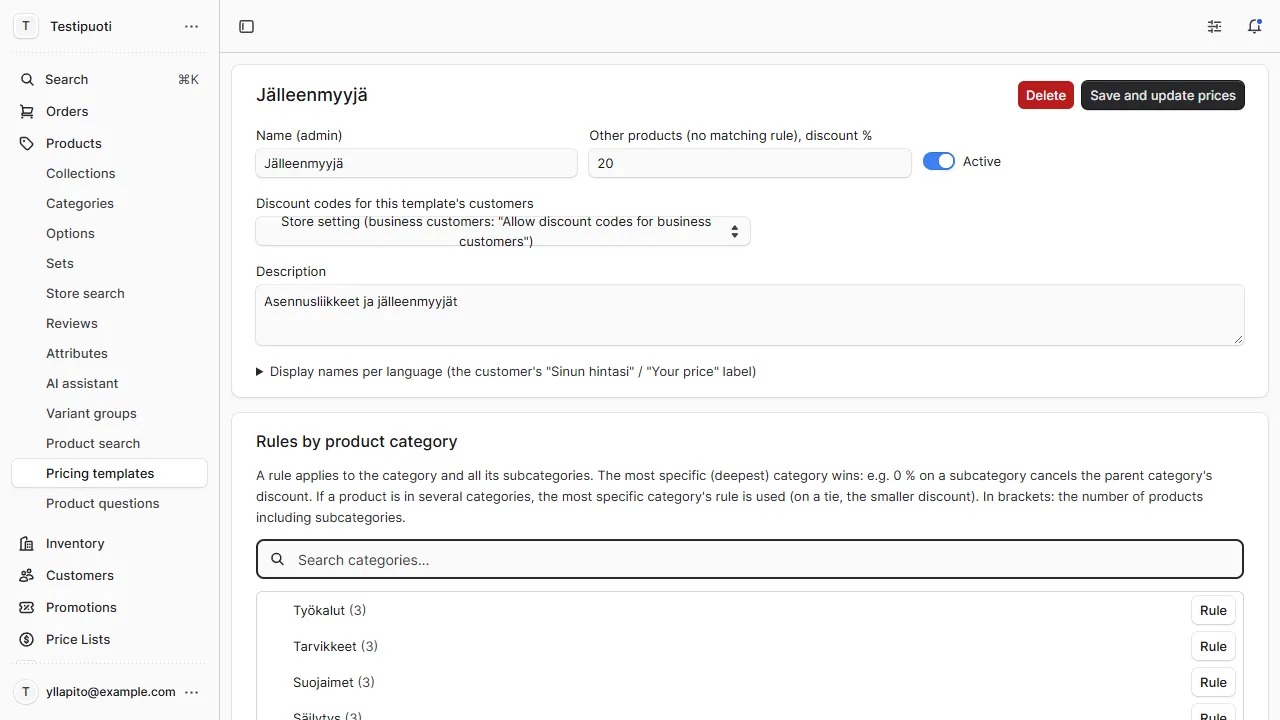
- In the admin: a pricing template with a discount per product category
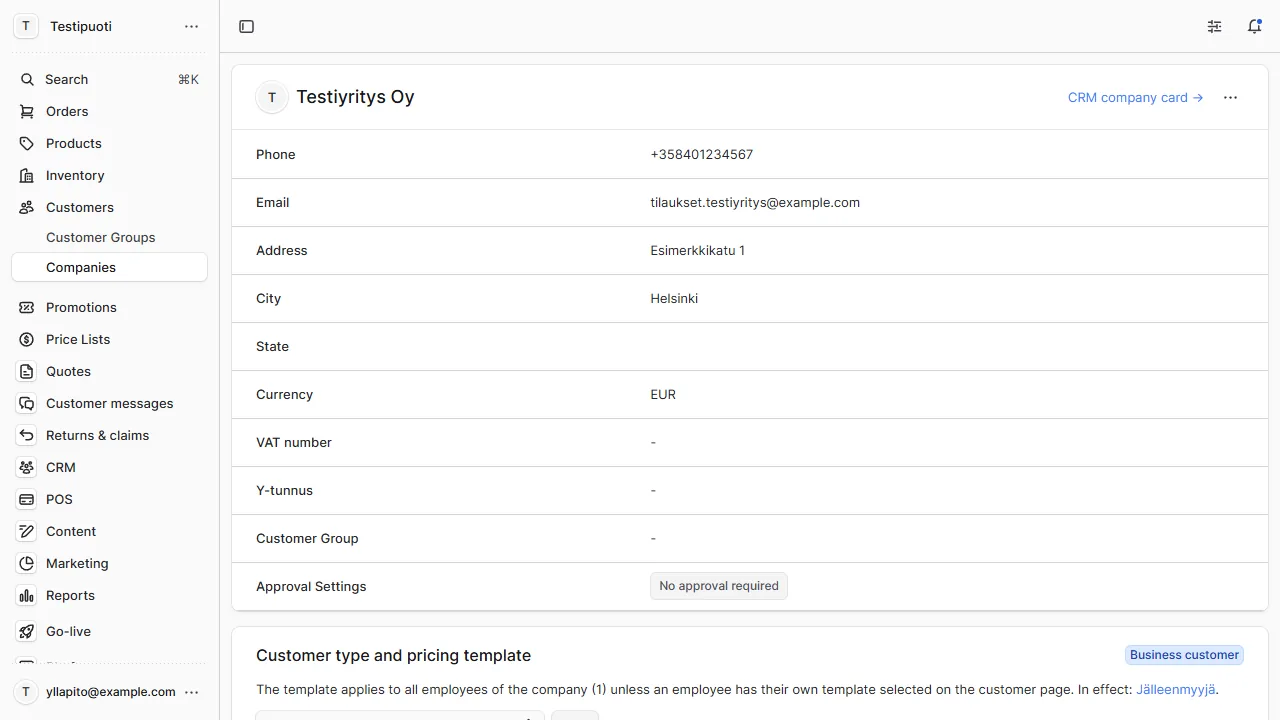
- The template is attached to a company and covers all its employees
- The company page has employees, spending limits and approvals
- B2B and consumer sales in the same store
Pricing templates: a discount per product group
A pricing template is a customer group's price list, for example Reseller. It sets a discount percentage per product category, and the most specific category wins. The template is attached to a customer or a company, and then it covers all the company's employees. If a public sale price is lower, the customer gets that, and discounts don't stack.
Company account, employees and approvals
A company has employees, spending limits and approval settings. The company's main user can approve an employee's cart before the order. The store decides in the admin whether a customer is a consumer or a business, and customers cannot change their own pricing.
Quick order for professionals
Professionals know the product codes. In quick order they paste lines as code quantity or upload a CSV file. KIDE shows a preview with customer prices and availability and flags unknown codes line by line. Purchase lists save repeat orders.
Invoice payment is opened for approved business customers, and EU business sales work at 0 % VAT once the VAT number is checked in VIES. For bigger purchases the customer can request a quote straight from the cart.
How to do it
- Create a pricing template: Products → Pricing templates. Enter the discounts per category and check the preview.
- Create a company or merge customers into one: Customers → Companies.
- Choose the company's customer type and pricing template. It covers all the company's employees.
- Set a spending limit and approvals if needed, and invoice as a payment method.
- The customer signs in and sees their own prices. Quick order is in My account.
Images: the KIDE Mini test shop, demo content.